About Pixel Robot
Overview
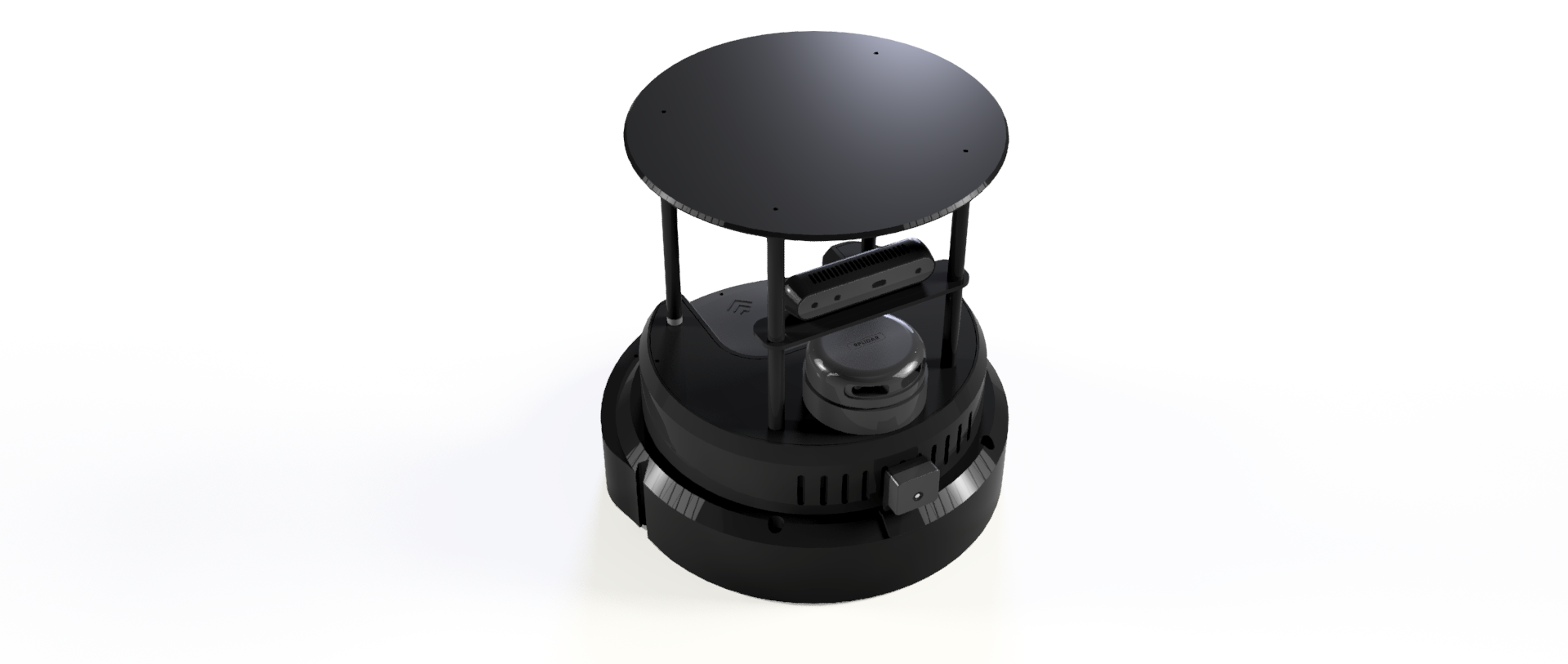
Pixel Robot is a ROS 2–based mobile robot platform designed to provide hands-on experience with modern robotics concepts.
It combines real hardware, real sensors, and real software workflows to help users understand how autonomous robots are built, programmed, and deployed.
The platform emphasizes: - Practical learning over abstraction - Clear system architecture - Modular hardware and software design - Real-world robotics challenges
Pixel Robot is suitable for education, research, and independent exploration of mobile robotics.
Educational Philosophy
Pixel Robot is designed to bridge the gap between theory and practice.
Users are encouraged to experiment, modify, break, and rebuild systems to gain a deeper understanding of robotics.
The documentation follows a progressive learning approach: - Start with basic bringup and teleoperation - Move to mapping, localization, and navigation - Advance toward perception, autonomy, and customization
Learning Outcomes
By working with Pixel Robot, users can learn:
- ROS 2 fundamentals and architecture
- Differential-drive kinematics
- Encoder-based odometry
- Sensor integration and TF management
- Mapping and localization
- Autonomous navigation with Nav2
- Debugging real robotic systems
- Software–hardware integration
Resources
Core Software Resources
- ROS 2 Humble Documentation
- Navigation2 Documentation
- ROS 2 Tutorials
- RViz2 User Guide
- Gazebo User Guide
- Slam Toolbox Docs
These resources provide deeper insights into the tools and frameworks used by Pixel Robot.
Hardware & Sensor Resources
- 2D LIDAR documentation
- ESP32 microcontroller documentation
- Raspberry Pi documentation
- Camera and depth sensor documentation
Refer to manufacturer documentation for electrical, mechanical, and performance details.
Recommended Tools
- RViz2 for visualization
- rqt for debugging
- Git for version control
- VS Code for development
- PlotJuggler or rqt_plot for data analysis
Lab Exercises
The following lab exercises are designed for structured learning and classroom use.
Lab 1: Robot Bringup and Verification
- Launch the robot software stack
- Verify sensor topics and TF tree
- Test keyboard teleoperation
Lab 2: Odometry and Motion Analysis
- Observe encoder-based odometry
- Measure drift and error
- Tune motion parameters
Lab 3: Mapping an Indoor Environment
- Create a 2D occupancy grid map
- Analyze map quality
- Save and reuse maps
Lab 4: Localization Accuracy
- Initialize robot pose
- Test localization convergence
- Observe behavior under motion
Lab 5: Autonomous Navigation
- Send navigation goals
- Analyze costmaps
- Test obstacle avoidance
Mini Projects
Mini projects encourage creativity and deeper exploration.
Project 1: Navigation Performance Evaluation
- Measure navigation accuracy
- Compare different parameter settings
- Analyze success rate and failures
Project 2: Obstacle-Aware Navigation
- Modify costmap parameters
- Test robot behavior in cluttered environments
Project 3: Vision-Based Object Detection (V2)
- Integrate object detection pipeline
- Visualize detected objects in RViz2
Project 4: Depth-Aware Perception (V3)
- Use depth data for obstacle understanding
- Experiment with 3D perception concepts
Project 5: Custom Behavior Development
- Implement custom behaviors using ROS 2 nodes
- Combine navigation and perception
- Design autonomous routines
Intended Use Cases
Pixel Robot can be used for:
- Robotics coursework and labs
- Research prototyping
- Autonomous navigation experiments
- ROS 2 training and workshops
- Independent robotics projects
Contributions and Growth
Pixel Robot is designed to evolve through continuous improvement.
Users are encouraged to:
- Experiment with new features
- Improve documentation
- Add new lab exercises
- Extend hardware and software capabilities
Final Notes
Robotics is best learned by doing.
Pixel Robot provides a practical platform to explore real-world robotics challenges while building strong foundational skills.
This documentation serves as a guide—but true learning happens through experimentation.
Happy building and exploring 🚀